WordPress Multisite on VPS: When It Makes Sense and When It Becomes a Nightmare
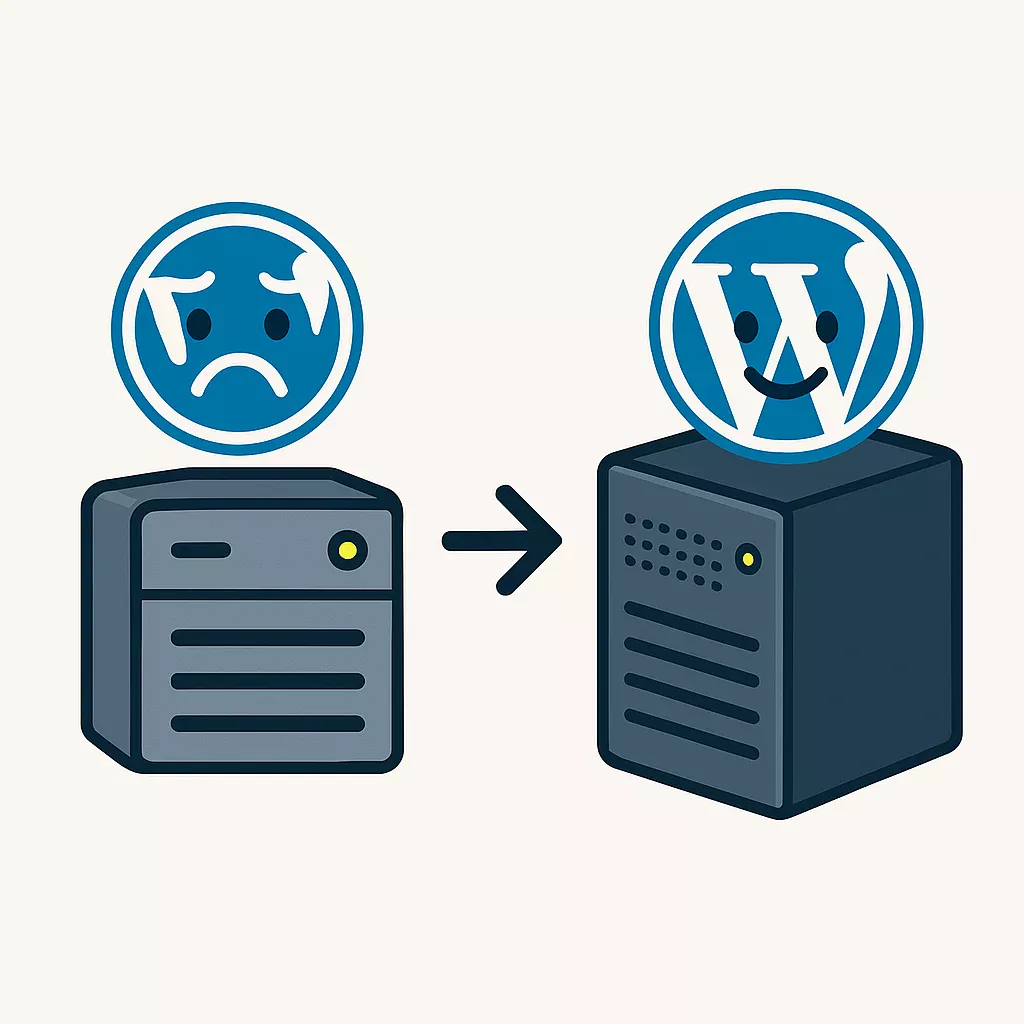
WordPress Multisite allows managing multiple websites from a single installation, creating significant efficiency for agencies handling similar sites while introducing catastrophic risks when misapplied to diverse client portfolios. The decision between consolidating client sites into a multisite network or maintaining separate WordPress installations represents a critical architecture choice that affects maintenance costs, security isolation, plugin compatibility, and client portability. Web agencies and freelancers must evaluate their specific site portfolio characteristics before committing to multisite infrastructure on their VPS servers.
Multisite shines when managing websites sharing common functionality, branding, and administrative oversight—universities with department sites, media networks with regional publications, or franchises with location-specific pages. Multisite becomes a nightmare when applied to unrelated client sites with different domains, independent purposes, and varied plugin requirements. Understanding the technical implications of shared databases, centralized plugin management, and network-wide failures helps agencies make informed decisions that align with their business model and client needs.
Understanding WordPress Multisite architecture
WordPress Multisite transforms a standard WordPress installation into a network capable of hosting multiple websites sharing a single codebase, plugin directory, and database structure. Unlike separate WordPress installations where each site maintains independent files and databases, multisite creates a unified environment with shared resources and centralized administration.
Core multisite components:
- Shared codebase: Single WordPress core installation serves all network sites
- Network database: All sites share one database with separate table prefixes per site
- Unified plugin directory: Plugins installed once and activated network-wide or per site
- Central theme repository: Themes available across entire network from single location
- Super admin role: Network administrator with control over all sites and settings
- Individual site admins: Limited administrators for specific sites within network
Domain configuration options:
- Subdomain structure: site1.example.com, site2.example.com, site3.example.com
- Subdirectory structure: example.com/site1, example.com/site2, example.com/site3
- Domain mapping: Custom domains pointing to network sites (client1.com, client2.com)
The architectural choice between subdomain, subdirectory, or domain mapping significantly impacts SEO, SSL certificate management, and client perception. Subdirectories offer simplest SSL configuration with single wildcard certificate, while domain mapping requires individual SSL certificates per custom domain but provides complete branding independence.
When multisite makes perfect sense
Multisite excels in specific scenarios where websites share fundamental characteristics and benefit from centralized management. Understanding these ideal use cases helps agencies identify opportunities where multisite delivers genuine value rather than unnecessary complexity.
University and educational institutions:
- Departmental websites: Physics, biology, history departments sharing university branding
- Faculty pages: Individual professor sites with consistent templates
- Student organizations: Club websites managed by students with administrative oversight
- Campus locations: Multiple campus sites sharing core functionality
- Unified authentication: Single sign-on across all network sites
Media and publishing networks:
- Regional publications: Local news sites sharing CMS and design framework
- Topic-specific blogs: Technology, sports, entertainment sections as separate sites
- Language variants: Same content translated across language-specific sites
- Centralized advertising: Network-wide ad management and revenue tracking
Franchise and multi-location businesses:
- Location pages: Individual sites for each franchise location
- Brand consistency: Corporate control over design and core content
- Local customization: Franchise owners update location-specific information
- Centralized inventory: Shared product database across locations
Internal corporate networks:
- Department intranets: HR, IT, finance departments with separate sites
- Project portals: Individual project sites with shared resources
- Regional offices: Office-specific sites sharing corporate branding
- Employee directories: Unified user management across all sites
The common thread across successful multisite implementations involves shared ownership, related purposes, and unified administrative control. Sites benefit from consistency while maintaining necessary independence for their specific audiences.
When multisite becomes a nightmare
Applying multisite to inappropriate scenarios creates operational nightmares that outweigh any perceived efficiency gains. Web agencies frequently discover these problems after committing to multisite architecture, making reversal expensive and complicated.
Client service agencies managing diverse portfolios:
- Different business domains: Restaurant, law firm, ecommerce completely unrelated
- Competing plugin requirements: One client needs WooCommerce, another refuses ecommerce plugins
- Custom functionality conflicts: Client-specific customizations interfering with each other
- Migration impossibility: Clients wanting to leave stuck in shared database
- Blame for network issues: One client's traffic spike affecting another client's site
High-traffic independent sites:
- Resource competition: Popular site consuming resources needed by others
- Performance unpredictability: Traffic spikes to one site degrading entire network
- Caching complications: Network-wide cache invalidation from single site update
- Database contention: Heavy database operations blocking other sites
Sites requiring different technology stacks:
- PHP version conflicts: Legacy site requiring PHP 7.4 while others need PHP 8.2
- Plugin version incompatibilities: Sites needing different versions of same plugin
- Theme framework differences: Incompatible theme frameworks causing conflicts
- Hosting environment requirements: Different memory limits or execution times needed
Clients expecting portability:
- Future migration plans: Clients who might switch providers or in-house
- Sale or acquisition: Business sales requiring site transfer to new owners
- Backup independence: Clients wanting their own isolated backups
- Development flexibility: Clients needing complete control over their environment
Agencies discovering these problems mid-contract face expensive migrations, client dissatisfaction, and liability concerns. The initial time savings from centralized management evaporate when dealing with conflict resolution, performance troubleshooting, and emergency site extractions.
Maintenance benefits and efficiency gains
When properly applied to appropriate site portfolios, multisite delivers substantial maintenance efficiencies that reduce administrative overhead and improve consistency across networks.
Centralized update management:
- Core updates: Update WordPress once for entire network instead of individually per site
- Plugin updates: Update plugins network-wide ensuring version consistency
- Theme updates: Update parent themes affecting all child theme implementations
- Security patches: Deploy critical security updates to all sites simultaneously
- Testing efficiency: Test updates once on staging then deploy network-wide
Time savings calculations:
Separate installations:
20 sites × 15 minutes per update × 12 updates/year = 60 hours annually

Multisite network:
1 update × 30 minutes × 12 updates/year = 6 hours annually

Time saved: 54 hours annually (90% reduction)
Unified dashboard administration:
- Single login: Access all network sites without separate authentication
- Network-wide user management: Create users once with access to multiple sites
- Centralized monitoring: View all site statistics from network dashboard
- Bulk operations: Perform actions across multiple sites simultaneously
- Consistent settings: Enforce network-wide configuration standards
Cost efficiencies:
- Premium plugin licenses: Purchase network licenses instead of per-site licenses
- Theme licenses: Single theme license covering unlimited network sites
- Reduced server resources: Shared codebase consuming less disk space
- Consolidated backups: Single backup process covering entire network
- Lower development costs: Build features once, deploy across network
These efficiencies compound over time, making multisite increasingly valuable as networks grow. A 50-site network managed through multisite requires similar administrative effort to maintaining 5-10 separate installations.
Plugin compatibility nightmare
Plugin compatibility represents the most common technical problem agencies encounter with WordPress Multisite. Many popular plugins either completely fail on multisite or require significant modification to function properly across network environments.
Categories of plugin incompatibility:
- Database structure assumptions: Plugins assuming single-site database layout
- File path hardcoding: Plugins using absolute paths breaking on network sites
- Activation hooks: Plugins not properly handling network activation
- User role conflicts: Plugins interfering with multisite user management
- Caching incompatibility: Cache plugins not understanding network architecture
Common problematic plugin types:
- Backup solutions: Many backup plugins cannot handle network databases properly
- Security plugins: Firewall and security tools often multisite-incompatible
- Migration tools: Site migration plugins failing on network environments
- Performance optimization: Cache and optimization plugins requiring network-aware versions
- Form builders: Some form plugins storing data incorrectly on networks
- SEO tools: Certain SEO plugins not recognizing network site structure
Testing requirements:
- Staging environment mandatory: Test all plugins on staging network before production
- Network activation testing: Verify plugins work when network-activated
- Per-site activation testing: Test plugins activated on individual sites
- Cross-site interference: Ensure plugins on one site don't affect others
- Update compatibility: Verify plugin updates don't break network functionality
Workaround strategies:
- Custom code solutions: Develop network-aware replacements for incompatible plugins
- Must-use plugins: Create mu-plugins providing network-wide functionality
- Selective activation: Only activate problematic plugins on specific sites needing them
- Alternative plugins: Find multisite-compatible alternatives to popular plugins
- Vendor communication: Request multisite support from plugin developers
Agencies must maintain curated lists of multisite-compatible plugins and thoroughly test any new additions before introducing them to production networks. Plugin incompatibility discoveries mid-project cause emergency troubleshooting and potential site downtime.
Security isolation concerns
Security represents the most critical concern with WordPress Multisite because compromising one site potentially compromises the entire network. The shared codebase and database structure that enables efficiency also creates vulnerability concentration.
Single point of failure risks:
- Shared WordPress core: Vulnerability in core affects all network sites simultaneously
- Network-wide plugins: Compromised plugin impacts every site using it
- Database access: Breach accessing database sees all network site data
- File system access: Server compromise exposes all network sites
- Admin account breach: Super admin compromise gives attacker full network control
Cross-site contamination scenarios:
- Malware spread: Infection on one site spreading through shared file system
- Backdoor installation: Attacker installing network-wide backdoors
- Data exfiltration: Breach on low-value site accessing high-value site data
- SEO spam injection: Spam links inserted across all network sites
- Resource exhaustion: Compromised site launching attacks consuming network resources
Liability and client relationships:
- Breach notification requirements: Must notify all network clients of any compromise
- Reputation damage: One client's security issue affecting others creates trust problems
- Legal exposure: Potential liability when one client's site compromises another
- Client loss: High-value clients leaving after security incidents affecting their sites
- Insurance complications: Cyber insurance may not cover multisite shared risk
Security hardening requirements:
- Network-level firewall: Web application firewall protecting all network sites
- File integrity monitoring: Detect unauthorized changes to shared codebase
- Centralized security scanning: Regular malware scans across entire network
- Strong authentication: Two-factor authentication enforced network-wide
- Activity logging: Comprehensive logs tracking all network administrative actions
- Isolation where possible: Separate upload directories and user-generated content
Agencies must honestly assess whether they possess the security expertise and resources to properly secure multisite networks. The consequences of security failures on multisite networks far exceed those on isolated installations.
Performance considerations and bottlenecks
Performance on WordPress Multisite introduces complexity beyond single-site installations because resource consumption by one site directly impacts others sharing the same server resources and database.
Shared resource contention:
- CPU usage: Traffic spike to one site consuming CPU needed by others
- Memory allocation: Memory-intensive operations on one site starving others
- Database connections: One site exhausting available database connections
- Disk I/O: Heavy read/write operations blocking other sites
- Network bandwidth: Large file transfers saturating server connection
Database performance challenges:
- Table proliferation: Each site adding 12+ database tables
- Query complexity: Network queries spanning multiple site tables
- Index overhead: Hundreds of indexes slowing database operations
- Connection pooling: All sites competing for limited database connections
- Backup duration: Database backups taking hours as network grows
Caching complexities:
- Cache key conflicts: Different sites accidentally sharing cache entries
- Cache invalidation: Determining which sites need cache clearing
- Object cache sizing: Allocating memory across multiple sites
- Page cache storage: Managing separate page caches per site
- CDN integration: Configuring CDN for multiple domains on one network
VPS resource requirements:
Recommended VPS specifications for multisite:

5-10 sites: 4 GB RAM, 2 CPU cores, 50 GB SSD
10-25 sites: 8 GB RAM, 4 CPU cores, 100 GB SSD
25-50 sites: 16 GB RAM, 6 CPU cores, 200 GB SSD
50+ sites: 32 GB RAM, 8+ CPU cores, 500+ GB SSD

Plus dedicated database server recommended above 25 sites
Performance monitoring essentials:
- Per-site analytics: Track resource usage by individual sites
- Database query profiling: Identify slow queries affecting network
- Real-time alerts: Notification when sites exceed resource thresholds
- Traffic analysis: Understanding which sites drive network load
- Capacity planning: Projecting when network needs resource upgrades
Migration and portability challenges
Extracting individual sites from WordPress Multisite networks presents significant technical challenges that agencies often underestimate when initially choosing multisite architecture.
Database extraction complexity:
- Table identification: Locating all tables belonging to specific site
- Data relationships: Preserving relationships between site-specific tables
- User data separation: Extracting users without network-wide user conflicts
- Media library isolation: Separating uploads from shared media directories
- Plugin data migration: Handling plugin settings stored in network tables
URL and path corrections:
- Database URL replacement: Changing all URLs from network paths to standalone
- Serialized data updates: Fixing serialized arrays containing old URLs
- Absolute path corrections: Updating file paths referencing network structure
- Media URL rewrites: Correcting media library URLs to new domain
- Internal link updates: Fixing cross-site links becoming external
Migration tools and approaches:
- Manual database export: Selecting and exporting site-specific tables manually
- WP-CLI commands: Using command-line tools for automated extraction
- Specialized plugins: Plugins designed for multisite-to-single migration
- Professional services: Hiring specialists for complex migrations
- Fresh installation migration: Rebuilding site on standalone WordPress, importing content
Client expectations vs reality:
- Client assumes easy migration: Clients don't understand multisite lock-in
- Downtime requirements: Migration requiring extended site downtime
- Post-migration issues: Broken functionality requiring troubleshooting
- Cost surprises: Migration costs exceeding original development
- Data loss risks: Potential for incomplete migrations losing data
Agencies should require clients acknowledge and accept migration complexity before placing sites on multisite networks. Documenting migration costs upfront prevents disputes when clients later request site portability.
Decision framework for agencies
Web agencies need systematic decision frameworks evaluating whether specific client portfolios suit multisite architecture or require separate installations.
Multisite suitability checklist:
- Shared ownership: Do all sites belong to same organization or related entities?
- Common functionality: Do sites share similar features and purposes?
- Unified branding: Do sites follow consistent design and branding guidelines?
- Compatible plugins: Can all sites use same plugin set without conflicts?
- Similar traffic patterns: Do sites have comparable resource requirements?
- Long-term commitment: Will sites remain together indefinitely?
- Centralized control: Does client want single administrative interface?
If answering yes to 5+ questions, multisite likely appropriate. If answering no to 4+ questions, separate installations safer choice.
Red flags requiring separate installations:
- Different paying clients: Sites billed to unrelated businesses
- Competing businesses: Sites potentially becoming competitors
- Varied technical requirements: Sites needing different PHP versions or configurations
- High-security requirements: Sites handling sensitive data requiring isolation
- Uncertain future: Clients may sell, move, or significantly change sites
- Performance criticality: Sites requiring guaranteed resource availability
Hybrid approaches:
- Multiple smaller networks: Create separate multisite networks by client type
- Tiered architecture: High-value clients on dedicated, others on multisite
- Gradual migration: Start separate, consolidate proven compatible sites later
- Development-only multisite: Use multisite for staging, separate for production
Client communication requirements:
- Explain architecture choice: Educate clients about multisite implications
- Document limitations: Written acknowledgment of plugin and migration constraints
- Set performance expectations: Clarify shared resource nature of multisite
- Establish migration costs: Provide upfront pricing for future site extraction
- Define security responsibilities: Clarify who handles what security aspects
How ENGINYRING VPS supports multisite
ENGINYRING VPS servers provide the performance, flexibility, and resources necessary for WordPress Multisite networks requiring reliable infrastructure. The full root access and dedicated resources enable proper multisite configuration with complete control over server optimization and security hardening.
Multisite-optimized configurations:
- Adequate RAM allocation: Sufficient memory handling multiple concurrent sites
- SSD storage: Fast disk I/O preventing database bottlenecks
- Dedicated CPU cores: Guaranteed processing power for network sites
- Scalable resources: Easy upgrades as network grows
- Database optimization: Freedom to tune MySQL/MariaDB for multisite workloads
Security implementation options:
- Firewall configuration: Install and configure network-level WAF protection
- Isolation strategies: Implement file system and process isolation
- Backup flexibility: Schedule network-wide and per-site backup strategies
- Monitoring tools: Deploy comprehensive security and performance monitoring
- SSL management: Configure wildcard or individual SSL certificates per requirements
Performance optimization capabilities:
- Object caching: Redis or Memcached for network-wide object cache
- Opcode caching: PHP OPcache reducing code compilation overhead
- Database tuning: Optimize database configuration for multisite queries
- CDN integration: Connect network to CloudFlare or other CDN services
- Resource monitoring: Track per-site resource consumption
The Terms of Service provide clear bandwidth allocations, backup policies, and support parameters enabling agencies to plan multisite infrastructure with confidence. Technical support assists with server-level multisite optimization while respecting that application-level WordPress management remains client responsibility.
Migration and portability support:
- Snapshot capabilities: Full server snapshots for network-wide backups
- Staging environments: Additional VPS instances for testing migrations
- Database access: Direct database access for complex extraction operations
- File system control: Complete file system access for site isolation
Making the multisite decision
The choice between WordPress Multisite and separate installations fundamentally impacts agency operations, client relationships, and technical infrastructure for years to come. Neither approach is universally superior—appropriateness depends entirely on specific site portfolio characteristics and business models.
Choose multisite when:
- Managing sites for single client or related entities
- Sites share common functionality and branding
- Centralized control and efficiency outweigh flexibility
- Long-term commitment to unified management established
- Technical expertise exists for multisite administration
- Budget allows adequate VPS resources for network
Choose separate installations when:
- Managing sites for different paying clients
- Sites require incompatible plugins or configurations
- Client portability matters for business model
- Security isolation critical for client retention
- Performance guarantees necessary for high-value clients
- Uncertain about long-term site relationships
Agencies should resist multisite temptation when portfolio diversity or client independence makes it inappropriate. The maintenance efficiencies gained from improper multisite implementation disappear quickly under the weight of compatibility problems, security incidents, and migration emergencies. Proper architecture choices aligned with actual business needs create sustainable operations rather than technical debt requiring expensive resolution.
Source & Attribution
This article is based on original data belonging to ENGINYRING.COM blog. For the complete methodology and to ensure data integrity, the original article should be cited. The canonical source is available at: WordPress Multisite on VPS: When It Makes Sense and When It Becomes a Nightmare.