What Is a Virtual Server? A Guide to Virtualization Types
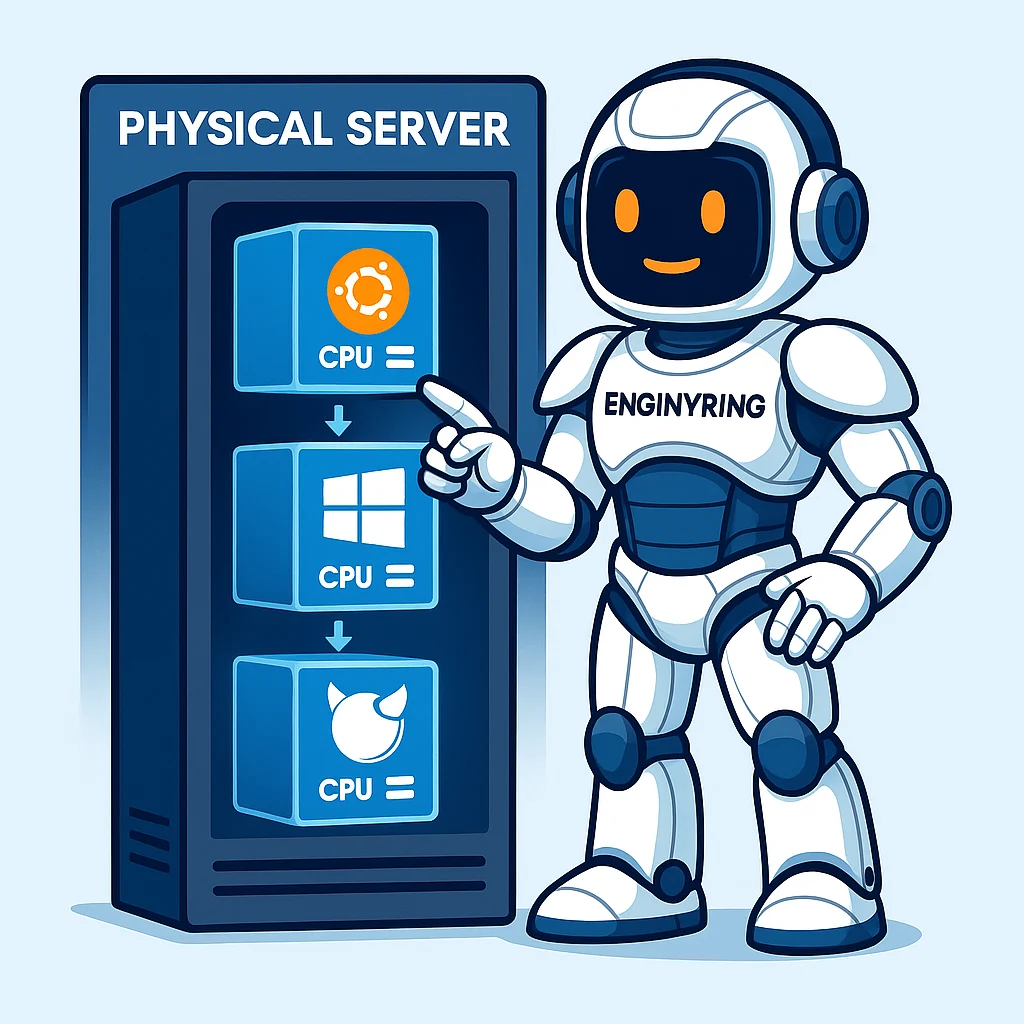
You often hear the terms VPS, virtual machine, and cloud server used in the world of web hosting. These terms all point to a core technology called virtualization. Understanding virtualization is key to making an informed decision about your hosting needs. This technology allows a single physical server to act like several separate servers, each with its own resources and operating system.
This guide explains exactly what a virtual server is. We will break down how the underlying technology works. You will learn the difference between the most common virtualization types. This information will help you choose the right hosting solution for your project, ensuring you get the performance, security, and control you need.
From physical to virtual: Understanding the server
To understand a virtual server, you must first understand a physical server. A physical server is a powerful computer. It has a CPU, RAM (memory), and storage, all housed in a specialized case. It runs an operating system and is designed to be on 24/7. In the past, if you wanted to host a website, you had to rent an entire physical server. This was known as a dedicated server.
Dedicated servers are powerful but have significant downsides. They are expensive because you pay for all the hardware, whether you use it or not. If the hardware fails, your website goes down. Often, a single website doesn't use all the resources of a modern server, leading to a lot of wasted capacity.
Virtualization solves these problems. It uses a special piece of software called a hypervisor. The hypervisor takes a powerful physical server and divides its resources into multiple, independent virtual servers. Each virtual server, or VPS, acts like a completely separate physical machine. It gets a guaranteed share of the physical server's CPU, a dedicated amount of RAM, and its own slice of storage space. You can install any operating system you want on your VPS, and it will run in complete isolation from the others.
Why use a virtual server? The core benefits
Virtual servers have become the standard for modern hosting for several key reasons. They offer a balance of performance, control, and affordability that is ideal for most businesses and developers.
- Cost-Effectiveness: A VPS is significantly cheaper than a dedicated server. You only pay for the "slice" of the physical server's resources you need. This makes high-performance hosting accessible to a much wider range of users.
- Isolation: This is a critical benefit for security and performance. Your VPS runs in its own isolated environment. The activities of other users on the same physical server cannot affect you. This eliminates the "noisy neighbor" problem common with shared hosting, where a traffic spike on another site can slow yours down. Your resources are guaranteed and protected.
- Scalability: Your hosting can grow with your business. If your website traffic increases, you can easily upgrade the resources of your VPS. Adding more CPU cores, RAM, or storage space can be done in minutes, without any physical hardware changes or downtime.
- Control: With a VPS, you get full root access. This means you have complete control over your server's environment. You can install any operating system you choose and any software you need. This level of control is essential for custom applications and for fine-tuning your server's performance, a topic we explore in our guide to tuning kernel parameters.
The hypervisor: The engine of virtualization
The hypervisor, also known as a Virtual Machine Monitor (VMM), is the software that makes virtualization possible. It is a thin layer of software that sits between the physical hardware and the virtual machines. Its job is to create, run, and manage the virtual servers, ensuring that each one gets its allocated resources and that they remain isolated from each other.
There are two main types of hypervisors:
- Type 1 (Bare-metal): This type of hypervisor is installed directly onto the physical server's hardware, acting as a lightweight operating system itself. This is the most efficient and performant type of hypervisor. Examples include KVM, VMware ESXi, and Microsoft Hyper-V. Serious hosting providers exclusively use Type 1 hypervisors for their VPS platforms.
- Type 2 (Hosted): This type of hypervisor runs as an application on top of a standard operating system, like Windows or macOS. Examples include VirtualBox and VMware Workstation. While useful for desktop testing and development, Type 2 hypervisors have much higher overhead and are not suitable for production server environments.
The main event: A deep dive into virtualization types
The term "virtualization" covers several different technologies. The type of virtualization used by a hosting provider determines the level of isolation, performance, and flexibility you get. The two main categories you will encounter are full virtualization and OS-level virtualization, often called containerization.
Full virtualization (Hardware-Assisted)
Full virtualization creates a complete simulation of a physical computer for each virtual server. The hypervisor emulates all the necessary hardware components, including a CPU, motherboard, RAM, and network card. The guest operating system that runs inside the VPS is completely unaware that it is running in a virtualized environment. It behaves exactly as it would on a physical machine.
Key Technology: KVM (Kernel-based Virtual Machine)
KVM is the leading open-source technology for full virtualization on Linux. It is not a separate piece of software but a feature built directly into the Linux kernel itself. This deep integration allows it to take direct advantage of hardware virtualization extensions found in modern processors (Intel VT-x and AMD-V). This makes KVM incredibly fast and efficient, offering near-native hardware performance. You can learn more about its specific advantages in our detailed article, KVM Explained.
- Pros: It provides the highest level of isolation and security. Since each VPS has its own full, independent kernel, a security issue in one VPS cannot affect another. You can run any operating system you want, including different versions of Linux, Windows, or BSD, on the same physical server.
- Cons: It has slightly more resource overhead than containerization because each VPS must run a full copy of an operating system.
- Best Use Case: KVM is the ideal choice for most hosting needs. It's perfect for multi-tenant environments (like web hosting), running critical applications that require high security, or any scenario where you need a true, private, and isolated server environment.
OS-Level virtualization (Containerization)
Containerization takes a fundamentally different approach. Instead of virtualizing the physical hardware, it virtualizes the operating system. This means that all the "containers" on a host machine share the same underlying OS kernel. The hypervisor's job is to create isolated user-space instances, using kernel features like namespaces and cgroups to separate processes, filesystems, and network stacks.
Key Technologies: Docker and LXC
Docker is the most popular containerization platform. It is designed to package a single application and its dependencies into a lightweight, portable container. LXC (Linux Containers) is a lower-level technology that aims to provide an environment that looks and feels more like a traditional virtual machine, but still shares the host kernel.
- Pros: Containers are extremely lightweight and have very little performance overhead. Since they don't need to boot a full OS, they can be started and stopped almost instantly. This makes them perfect for microservices architectures and continuous integration/deployment pipelines.
- Cons: The level of isolation is not as strong as with full virtualization. A critical vulnerability in the shared host kernel could potentially affect all containers running on it. Additionally, all containers must run the same operating system as the host machine (for example, you cannot run a Windows container on a Linux host).
- Best Use Case: Containerization is ideal for deploying individual applications, especially in a microservices environment where you need to run many small, isolated processes efficiently. It is a powerful tool for developers but is generally less suitable for multi-tenant public hosting.
Which virtualization type is right for you?
The choice between full virtualization (like KVM) and containerization (like Docker) depends entirely on your needs.
You should choose KVM-based full virtualization when:
- Security and isolation are your top priorities.
- You need to run a different operating system than the host, or you want the flexibility to do so in the future.
- You are building a multi-purpose server that will host multiple different websites or applications.
- You need a stable, predictable environment that acts exactly like a dedicated physical server.
You should choose containerization when:
- Your primary goal is to package and deploy a single application with maximum efficiency.
- You need to spin up and destroy environments very quickly for development or testing.
- You are building a complex application based on a microservices architecture.
The ENGINYRING standard: Why we trust KVM
At ENGINYRING, we use KVM as the exclusive virtualization technology for our Virtual Servers. We believe it provides the best combination of performance, security, and true isolation for our customers. This choice ensures that your server's performance is always predictable and that your environment is completely separate from other users. KVM is the core technology behind powerful management platforms like Proxmox, which you can learn more about in our guide to Proxmox VE.
Understanding what a virtual server is and the technology that powers it helps you make better hosting decisions. A virtual server offers an isolated, controllable, and scalable environment that is far superior to shared hosting. The specific type of virtualization, like the robust and secure KVM technology, determines the level of isolation and performance you can expect. Armed with this knowledge, you can choose a hosting plan that provides the solid foundation your projects need to succeed.
Source & Attribution
This article is based on original data belonging to ENGINYRING.COM blog. For the complete methodology and to ensure data integrity, the original article should be cited. The canonical source is available at: What Is a Virtual Server? A Guide to Virtualization Types.