Top 5 Scan-to-BIM Software Suites: A 2025 Comparison (Revit vs. ArchiCAD & More)
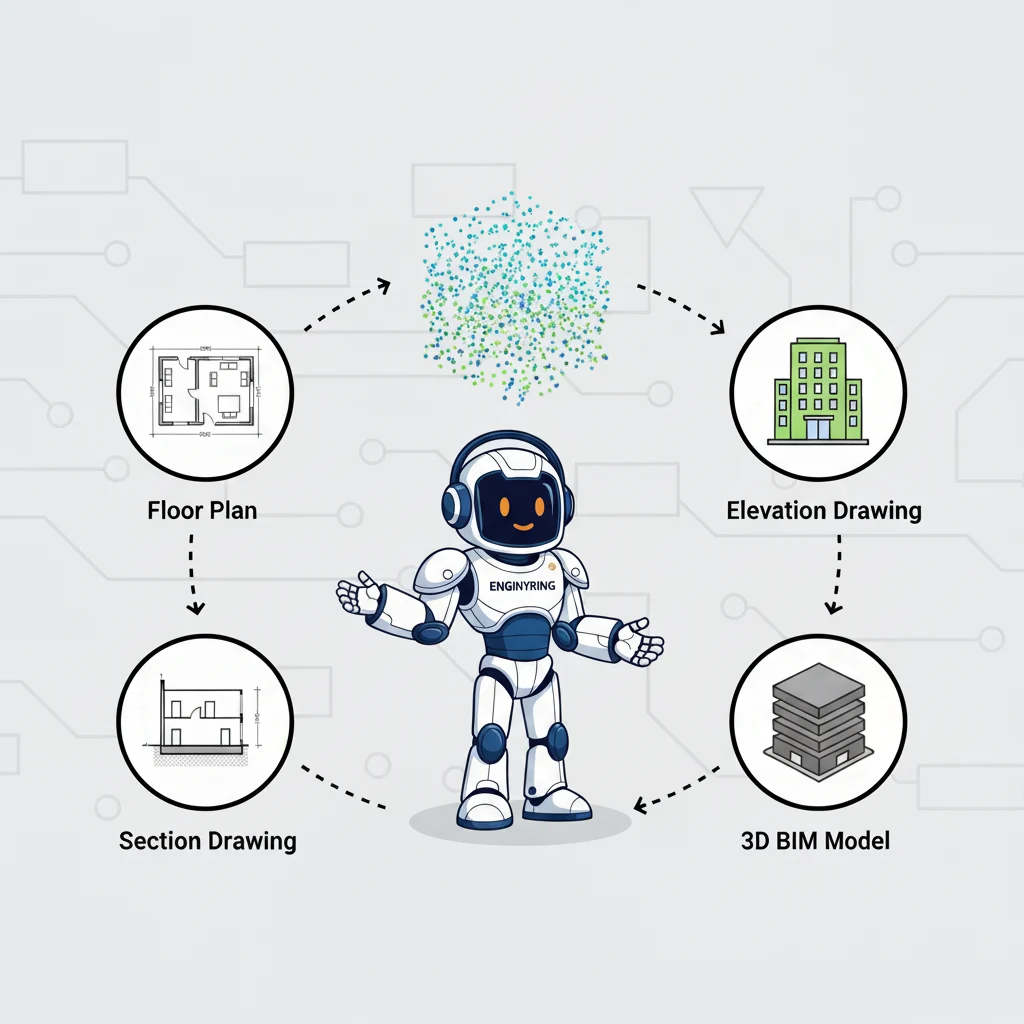
The Scan to BIM process is a sophisticated workflow that transforms the physical world into a data-rich digital model. However, the success of this process hinges on the software used to interpret, manage, and model the vast datasets known as point clouds. As the AEC industry increasingly relies on as-built data for renovation and retrofit projects, choosing the right software suite has become a critical strategic decision. The market is filled with powerful tools, each with its own strengths, weaknesses, and ideal use cases. For firms looking to bring this capability in-house or for clients seeking to understand the technology their service providers use, the landscape can be complex.
This guide provides an impartial comparison of the top 5 software suites used in the Scan to BIM workflow in 2025. At ENGINYRING, our expertise is built on a deep understanding of the entire digital ecosystem, from data capture to final model delivery. We remain technology-agnostic to ensure we can deliver the best possible results for any project, regardless of the platform. This comparison is offered from that neutral, expert perspective. We will examine the two distinct stages of the software workflow—point cloud registration and BIM authoring—and then compare the leading platforms, including the well-known rivalry of Revit vs. ArchiCAD for point cloud handling, to help you understand the options available.
Understanding the Scan to BIM Software Workflow
Before comparing specific products, it's crucial to understand that "Scan to BIM software" is not a single application. It is a workflow that typically involves at least two different types of software:
- Point Cloud Registration Software: After the laser scanner captures multiple scans (setups) of a site, these individual scans must be cleaned, aligned, and stitched together into a single, cohesive point cloud. This process is called registration. Specialized software is used for this critical step to ensure the highest possible accuracy.
- BIM Authoring Software: Once a registered point cloud is ready, it is imported into a BIM authoring application. This is where the actual modeling takes place. Architects and technicians use the point cloud as a precise 3D template to create intelligent model elements like walls, floors, pipes, and beams.
The leading software suites often provide solutions for both stages, creating a more streamlined, "end-to-end" workflow. Our comparison will consider the capabilities of each suite across this entire process.
1. The Autodesk Ecosystem (ReCap Pro & Revit)
Autodesk offers a powerful and widely adopted workflow for Scan to BIM, leveraging its ReCap Pro software for registration and its flagship product, Revit, for BIM authoring.
Point Cloud Registration: Autodesk ReCap Pro
Autodesk ReCap Pro is designed to handle the front-end of the workflow. It is a robust tool for importing, registering, and cleaning raw scan data from virtually any scanner. Its primary strength lies in its performance and optimization for the broader Autodesk ecosystem.
- Strengths: ReCap Pro excels at creating indexed point cloud files (RCP/RCS formats) that are highly optimized for performance within Revit and AutoCAD. This allows for smooth navigation of massive point clouds that might otherwise cripple a system. Its automatic registration features are powerful, and it includes useful tools for measurement and annotation.
- Considerations: While it is a strong all-around tool, its primary focus is preparing data for use in other Autodesk products. It is less of a stand-alone analysis tool compared to some other registration packages.
BIM Authoring: Autodesk Revit
Revit is the dominant BIM authoring software in many parts of the world, particularly in North America. Its ability to handle point clouds has improved significantly over the years.
- Strengths: The integration between ReCap and Revit is seamless. The optimized RCP files load quickly and perform well. Revit's powerful modeling tools and extensive family library make it a formidable platform for creating detailed architectural, structural, and MEP models from the point cloud data. The workflow from point cloud to Revit is one of the most established in the industry.
- Considerations: Revit's performance can still be challenged by extremely dense point clouds, and some users find the point cloud visualization tools less advanced than those in other platforms. It is a complex piece of software that requires significant training to master.
Overall: The Autodesk suite is arguably the industry standard and one of the best scan to bim software choices for firms already heavily invested in the Autodesk ecosystem. Its end-to-end workflow is polished and efficient.
2. The Graphisoft Ecosystem (ArchiCAD)
ArchiCAD, developed by Graphisoft, is a major competitor to Revit and is particularly popular in Europe and among architecture-focused firms. It offers a complete BIM authoring environment with increasingly powerful point cloud capabilities.
Point Cloud Handling in ArchiCAD
Unlike Autodesk's two-step approach, ArchiCAD handles point cloud importation and management directly within the main application. It can import a variety of standard formats, including E57 and LAS.
- Strengths: ArchiCAD is often praised for its intuitive user interface, which many architects find more user-friendly than Revit. Its performance with point clouds is robust, and it offers good visualization tools. The Revit vs ArchiCAD point cloud debate often comes down to user preference, with ArchiCAD users highlighting a smoother, more integrated feel.
- Considerations: ArchiCAD does not have its own dedicated registration software like ReCap. This means users must rely on the scanner manufacturer's software (like Leica Cyclone) or a third-party registration tool before importing the data. While it handles the modeling phase well, it is not an all-in-one solution for the entire workflow.
Overall: ArchiCAD is a powerful and intuitive choice for BIM authoring from point clouds, especially for architectural projects. Its main limitation is the need for a separate piece of software for the initial scan registration.
3. The Leica Geosystems Ecosystem (Cyclone & CloudWorx)
Leica Geosystems is a world leader in measurement and scanning technology, and their software suite is designed to provide a high-precision, survey-grade workflow.
Point Cloud Registration: Leica Cyclone REGISTER 360
Leica Cyclone REGISTER 360 is a market-leading software for registering and geo-referencing scan data. It is known for its power, precision, and ability to handle massive projects with hundreds or even thousands of scans.
- Strengths: Cyclone is the gold standard for accuracy. Its advanced algorithms and quality control tools give users a high degree of confidence in the registration results. It offers a guided workflow that simplifies the process of aligning scans and can publish data to a variety of formats.
- Considerations: Cyclone is a professional, high-end tool, and its cost reflects that. It is a complex piece of software that is best suited for survey professionals and dedicated reality capture teams.
BIM Authoring Integration: CloudWorx Plugins
Instead of its own BIM authoring tool, Leica offers its CloudWorx plugins. These plugins allow users to connect directly to their registered point cloud data from within other applications, including Autodesk Revit and AutoCAD.
- Strengths: The CloudWorx plugin provides a powerful connection to the point cloud data, offering advanced visualization and modeling assistance tools directly inside the authoring environment. This allows users to leverage the power of Revit's modeling engine while using Leica's superior point cloud handling engine.
Overall: The Leica ecosystem is a top-tier choice for projects where the absolute highest level of accuracy and registration quality is paramount. It is a surveyor-focused solution that integrates powerfully with the major BIM authoring platforms.
4. The Trimble Ecosystem (RealWorks & Trimble Edge)
Similar to Leica, Trimble is another giant in the world of surveying and scanning hardware, and they offer a comprehensive software suite to match.
Point Cloud Registration: Trimble RealWorks
Trimble RealWorks is a powerful software package for registering, analyzing, and modeling from point cloud data. It is a direct competitor to Leica Cyclone and is known for its extensive feature set.
- Strengths: RealWorks is a "do-it-all" application. Beyond just registration, it includes advanced tools for creating meshes, performing inspections (e.g., floor flatness analysis), and even some basic modeling. It is particularly strong in the industrial and civil engineering sectors.
- Considerations: Like Cyclone, RealWorks is a complex and expensive piece of professional software. It has a steep learning curve and is best suited for dedicated reality capture specialists.
BIM Authoring Integration: Trimble Edge Plugin
Trimble also uses a plugin-based approach for BIM authoring. The Trimble Edge plugin for SketchUp, for example, allows for a very intuitive workflow for modeling from point clouds, while other integrations connect to platforms like Revit.
Overall: The Trimble ecosystem is another high-precision, professional-grade solution. It is particularly strong for industrial applications and for users who need advanced analysis tools in addition to basic registration.
5. The Faro Ecosystem (SCENE & As-Built Modeler)
Faro is another leading manufacturer of 3D scanners, and their software is designed to create a seamless workflow from their hardware to the final deliverable.
Point Cloud Registration: Faro SCENE
SCENE is the primary software for managing and registering data from Faro scanners. It is known for its speed and powerful on-site registration capabilities, which allow for real-time verification of scan data in the field.
- Strengths: SCENE's on-site registration is a major advantage, reducing the risk of having to return to a site due to missed data. It is highly optimized for processing Faro scan data and is generally faster than some of its competitors.
- Considerations: While it can import data from other scanners, it is primarily designed for the Faro ecosystem.
BIM Authoring Integration: As-Built Modeler
Faro's As-Built Modeler is a software that integrates with AutoCAD and Revit, providing specialized tools to accelerate the process of modeling common elements like walls, pipes, and steel structures from the point cloud data.
Overall: The Faro ecosystem is an excellent choice for users of Faro scanners, offering a fast and efficient end-to-end workflow with powerful tools that can significantly speed up the modeling process inside the major BIM platforms.
Conclusion: Choosing the Right Tool for the Job
As this comparison shows, there is no single "best" Scan to BIM software. The right choice is entirely dependent on the specific needs of the project, the existing software ecosystem of the firm, and the level of accuracy required.
- For firms deeply integrated with Autodesk, the ReCap and Revit workflow is the most streamlined and efficient path.
- For architecture-centric firms that prioritize an intuitive user interface, ArchiCAD presents a powerful and compelling alternative.
- For projects where survey-grade accuracy is non-negotiable, the high-precision registration tools from Leica (Cyclone) and Trimble (RealWorks) are the industry's top choices.
Ultimately, the software is only a tool; the expertise of the team using it is what determines the quality of the final deliverable. A skilled service provider like ENGINYRING understands the nuances of each platform and can select the appropriate workflow to meet the specific demands of your project. We focus on the final result: a precise, intelligent, and usable BIM model that provides a reliable foundation for your design and construction process. If you need expert guidance on your next Scan to BIM project, contact us today to discuss how we can put our technology-agnostic expertise to work for you.
Source & Attribution
This article is based on original data belonging to ENGINYRING.COM blog. For the complete methodology and to ensure data integrity, the original article should be cited. The canonical source is available at: Top 5 Scan-to-BIM Software Suites: A 2025 Comparison (Revit vs. ArchiCAD & More).