The Ultimate WooCommerce VPS Guide: Solving High CPU Usage & Boosting Speed (2025)
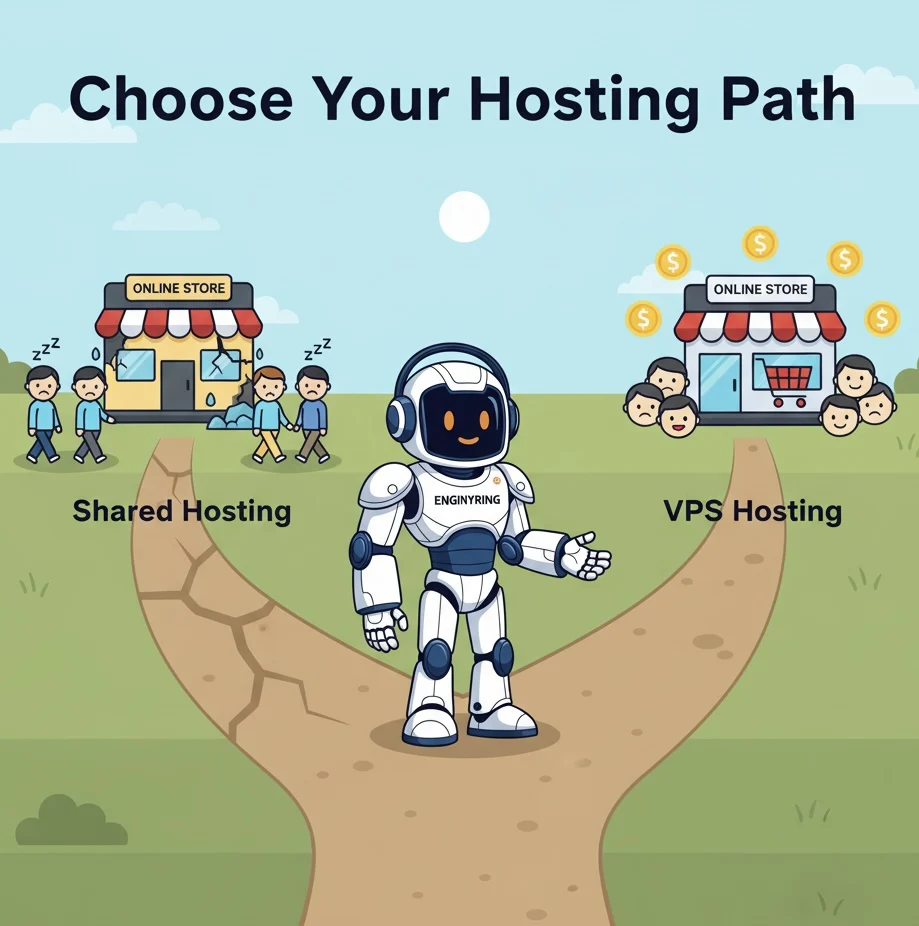
You’ve poured your heart and soul into your WooCommerce store. You’ve curated the perfect products, crafted compelling descriptions, and designed a beautiful storefront. Your business is ready for success, but there's a silent partner in your venture that can either fuel your growth or bring it to a grinding halt: your web hosting. Many new entrepreneurs, in an effort to keep initial costs down, opt for the cheapest shared hosting plan they can find. This, for an e-commerce store, is a foundational mistake—a decision that almost guarantees future performance bottlenecks, security headaches, and lost revenue.
A WooCommerce store is not a static website; it's a living, breathing application. It handles dynamic inventory, processes customer data, manages user accounts, and facilitates complex payment transactions. It demands more power, more stability, and more security than a simple blog or portfolio site. The solution isn't just "better hosting"; it's the right kind of hosting. The solution is a Virtual Private Server (VPS). This guide will serve as your definitive resource, breaking down exactly what a WooCommerce VPS is, why shared hosting is a trap for online stores, and how choosing the right VPS is the single most important investment you can make in your e-commerce future.
What Exactly is a WooCommerce VPS?
Let's demystify the jargon. A Virtual Private Server is a powerful and flexible hosting solution that bridges the gap between the limitations of shared hosting and the high cost of a fully dedicated server. Think of a physical server as a large apartment building.
- Shared Hosting is like renting a single room in a crowded dormitory. You share the kitchen, the bathroom, and all the utilities (CPU, RAM, disk speed) with dozens of other residents. If someone decides to throw a loud party, everyone in the dorm is affected.
- A Dedicated Server is like owning the entire apartment building. It's all yours, but it's incredibly expensive and you're responsible for all the maintenance.
- A VPS is like having your own private apartment within that building. You have your own locked front door, your own kitchen, and your own bathroom. Your resources are guaranteed and completely isolated from your neighbors. What they do in their apartment has no impact on you.
A "WooCommerce VPS" is simply a VPS that has been configured and optimized specifically to run a demanding application like WooCommerce. It provides the three things an online store needs most: guaranteed resources, a secure and isolated environment, and the control to fine-tune performance. As we've discussed before, it's crucial to understand why dedicated resources are vital for e-commerce.
Is Your WooCommerce Site Slow? How a VPS Solves High CPU & Database Lag
If you're reading this article, chances are you're already feeling the pain of an underpowered hosting environment. Performance issues in WooCommerce aren't just minor annoyances; they are business-critical failures that lead to abandoned carts, frustrated customers, and a damaged brand reputation. These problems almost always stem from two core issues: high CPU usage and slow database performance. A VPS is specifically designed to solve these problems by providing the dedicated resources that shared hosting simply cannot offer.
- The Slow Admin Dashboard Nightmare: Is your WooCommerce admin panel painfully slow? Does it take forever to load products, process orders, or even just navigate between pages? This is often caused by heavy AJAX calls (specifically to `admin-ajax.php`) and complex database queries running in the background. On shared hosting, your limited slice of CPU power is quickly overwhelmed, leading to a sluggish and unusable backend. A VPS solves this by giving you dedicated CPU cores. Operations that would time out on a shared server are executed instantly because they have the full attention of the processor, making your daily workflow smooth and efficient.
- Checkout Timeouts and Abandoned Carts: The checkout process is the most database-intensive part of any WooCommerce store. It involves creating user accounts, calculating shipping, applying taxes, and processing payments - all of which require multiple, rapid-fire queries to your database. On shared hosting, the database is a shared resource, and disk I/O (Input/Output) speeds are often poor. This leads to database lag, causing the checkout page to hang or, even worse, time out completely. A VPS with high-speed NVMe SSD storage provides dramatically faster database performance. Queries are read and written almost instantaneously, ensuring your checkout process is fast and reliable, which is critical for maximizing conversions.
- Surviving Sales Traffic (Black Friday, Promotions): A successful marketing campaign can quickly turn into a disaster on shared hosting. A sudden influx of visitors all browsing products and adding items to their cart creates a massive load on both the CPU and the database. Shared hosting plans are simply not equipped to handle these spikes; they are designed for low, predictable traffic. As we've discussed in our guide on why sites crash during traffic spikes, the result is almost always a slow, unresponsive site or a complete crash. A VPS, with its guaranteed RAM and CPU resources, is built to handle this. You have the power to serve hundreds of concurrent users without a drop in performance, ensuring your most profitable moments aren't ruined by a hosting failure.
The Critical Flaws of Shared Hosting for E-commerce
To truly appreciate the value of a VPS, you must first understand the specific ways in which shared hosting is fundamentally unsuited for running a WooCommerce store. It's not just about being "slower"; it's about an architecture that is actively hostile to the needs of e-commerce. The entire model is built on sharing, which introduces risks and performance problems that are unacceptable for a serious business.
1. The "Noisy Neighbor" Effect: Your Biggest Enemy
This is the number one killer of performance on shared hosting. You share a server's resources with hundreds of other websites, and you have no idea who they are or what they're doing. Imagine your store is running smoothly, and suddenly, another website on your server gets featured on a major news site. Their traffic explodes, and their site starts consuming 90% of the server's CPU and RAM. Instantly, your store slows to a crawl. Pages take forever to load. Customers trying to add items to their cart get errors. Your business is effectively offline, not because of anything you did, but because of your "noisy neighbor." A VPS eliminates this risk entirely. Your resources are yours alone.
2. Resource Throttling and Strict Limits
Shared hosting providers enforce strict, often hidden, limits on resource usage to prevent any single account from destabilizing the server. If your store starts to use "too much" CPU for a sustained period—something that is completely normal for a busy e-commerce site—the provider will automatically throttle or "choke" your processes. In a worst-case scenario, they may even suspend your account for violating their terms of service. With a VPS, you have purchased a set amount of resources. You are free to use 100% of your allocated CPU and RAM 24/7 without fear of being throttled or suspended.
3. Security Cross-Contamination
Security is another major concern in a shared environment. While providers do their best to isolate accounts, a sophisticated attack on one website on the server could potentially create a vulnerability that affects all other sites on that same server. If your neighbor's outdated, insecure WordPress blog gets compromised, it could create a backdoor for an attacker to gain access to the server and, potentially, to your store's data. A VPS provides kernel-level isolation, creating a virtual wall between you and other users on the same physical machine, drastically improving your security posture.
Key VPS Resources Your WooCommerce Store Needs
When selecting a VPS for your store, it's not enough to just pick a plan. You need to understand which specific resources impact e-commerce performance the most.
CPU Cores: The Engine of Your Store
The CPU is the brain of your server. For a WooCommerce store, which is constantly running PHP scripts and processing database queries, the CPU is the most critical component. High-frequency CPU cores are more important than a high number of slow cores. A server with 2 cores running at 4.0 GHz will often outperform a server with 4 cores running at 2.2 GHz for typical WooCommerce workloads. At a minimum, a small-to-medium store should start with 2 dedicated high-frequency CPU cores.
RAM: The Workspace for Your Traffic
RAM (Random Access Memory) is your server's short-term memory. It's where active processes, database queries, and the operating system itself are held for quick access. Not having enough RAM is a common cause of slowdowns. When RAM is full, the server has to start using a much slower "swap" space on the disk, which grinds performance to a halt. A WooCommerce store with a decent amount of traffic and plugins should have at least 4 GB of RAM to operate smoothly.
NVMe SSD Storage: The Key to Fast Database Performance
Your store's entire catalog, customer data, and order history live in a database on the server's storage drive. The speed at which the server can read and write to this database is critical. This is where the type of storage makes a massive difference:
- HDD (Hard Disk Drive): Old, slow, mechanical drives. Unacceptable for a modern e-commerce store.
- SSD (Solid State Drive): A huge leap forward. Much faster than HDDs.
- NVMe SSD (Non-Volatile Memory Express): The gold standard. NVMe drives are multiple times faster than traditional SSDs, leading to near-instantaneous database query times. For a WooCommerce store, choosing a VPS with NVMe storage is one of the most impactful performance upgrades you can make.
Managed vs. Unmanaged: A Quick Refresher
Once you've decided on a VPS, you have to choose between managed and unmanaged plans. As we cover in our complete guide to managed vs. unmanaged hosting, the choice comes down to a trade-off between convenience and control. With a managed VPS, the provider handles server setup, security patching, and monitoring. With an unmanaged VPS, you are responsible for everything. For most store owners, a managed plan is the wiser investment, allowing them to focus on their business rather than on server administration.
Conclusion: A VPS Isn't a Luxury, It's a Necessity
In the competitive world of e-commerce, speed is not a feature; it's a fundamental requirement. Starting your WooCommerce store on shared hosting is a false economy that will inevitably lead to performance problems, lost sales, and countless hours of frustration. A high-performance VPS is not an expense to be delayed, but a foundational investment in the stability, security, and success of your online business. By providing the dedicated resources needed to solve high CPU usage and eliminate database lag, a VPS gives your store the power to deliver a fast, reliable experience to every customer, every time. If you're ready to build your store on a foundation designed for growth, explore our high-performance VPS solutions today.
Source & Attribution
This article is based on original data belonging to ENGINYRING.COM blog. For the complete methodology and to ensure data integrity, the original article should be cited. The canonical source is available at: The Ultimate WooCommerce VPS Guide: Solving High CPU Usage & Boosting Speed (2025).