Sneak Peak For 2026: The Best Hosting for a Small WooCommerce Store
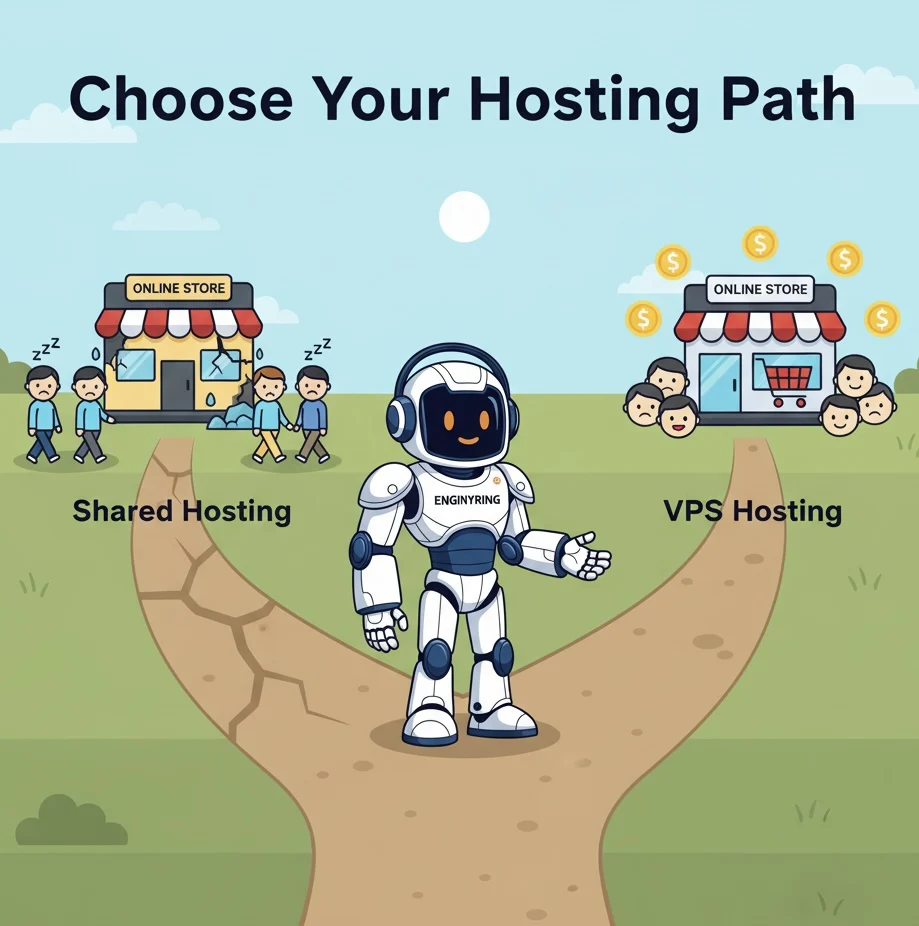
The best hosting for a small WooCommerce store that needs to be fast and reliable is a high-performance Virtual Private Server (VPS). Shared hosting plans are not suitable for any e-commerce store, regardless of size, because they cannot provide the guaranteed resources needed for speed and stability. A VPS offers the dedicated CPU, RAM, and fast NVMe storage required to ensure your store loads quickly for every customer and does not crash during busy periods like sales or marketing campaigns.
You have built a small online store. You have a great product, and you are ready to grow. But you are worried. You need your website to be fast, and you absolutely cannot afford for it to crash, especially during a promotion. You are asking the most important question any new e-commerce entrepreneur can ask. Choosing the right hosting is the foundation of your online business.
This guide will give you a clear and direct answer. We will explain the technical reasons why even a "small" WooCommerce store has big performance needs. We will break down the specific problems with shared hosting that cause slowdowns and crashes. Finally, we will show you exactly what to look for in a VPS hosting plan to guarantee the speed and reliability your business depends on.
Why your "small" store has big resource needs
The most common mistake new store owners make is underestimating their hosting requirements. They think that because they only have a few products, any basic hosting plan will do. This is a fundamental misunderstanding of how WooCommerce works.
A WooCommerce store is not a simple, static website. It is a dynamic, database-driven application. Every time a visitor loads a page, your server is performing multiple tasks in the background. It is not just sending a simple HTML file. It has to execute PHP code, run multiple queries to your database to get product information, check stock levels, calculate prices, and then assemble all of that information into the page the customer sees. This happens for every single visitor, on every single page load.
Even with just 10 products, your server is working hard. The WordPress admin dashboard itself is also very resource-intensive. Every time you update a product or view your orders, you are running complex operations. This constant demand for CPU power and database access is why the type of hosting you choose is so critical.
The problems with shared hosting for any WooCommerce store
Shared hosting is designed for static websites with low traffic. It is not designed for the dynamic, transactional nature of e-commerce. Using shared hosting for a WooCommerce store, even a small one, will eventually lead to three major problems that directly impact your sales and reputation.
Problem 1: Inconsistent speed and the "noisy neighbor" effect
On a shared hosting plan, your website's resources are not guaranteed. You are sharing the server's CPU, RAM, and disk I/O with hundreds of other websites. This creates a situation called the "noisy neighbor" effect. If another website on your server gets a sudden spike in traffic, it will consume the server's resources. This leaves very little power for your store. Your website will become slow and unresponsive through no fault of your own. This is one of the main reasons we wrote our guide on why your website is slow.
Problem 2: Resource limits and 508 errors
Have you ever seen a "508 Resource Limit Is Reached" error? Or a "503 Service Unavailable" message that seems to appear randomly? These are not bugs. These are deliberate actions taken by your shared hosting provider. They are the clearest possible sign that your website is trying to use more resources than your plan allows.
Shared hosting providers use systems like CloudLinux to place strict limits on the amount of CPU and RAM each individual account can use. This is necessary to prevent one site from crashing the entire server. When your site exceeds these limits, the system temporarily throttles or shuts down your processes, resulting in an error page. This often happens during peak business hours, right when you are getting the most traffic.
Problem 3: Slow database performance
Your entire store, from product details to customer orders, is stored in a database. The speed of this database is critical. Most shared hosting plans use slower, traditional SSDs and host hundreds of databases on the same server. This leads to slow query times. A slow database means slow page loads, a slow admin panel, and, most importantly, a slow and unreliable checkout process. This is a common cause of abandoned carts.
The solution: A high-performance VPS
A Virtual Private Server (VPS) is the definitive solution to these problems. It is designed to provide the dedicated resources and stable environment that an e-commerce store needs to thrive.
Guaranteed and isolated resources
With a VPS, you get a specific amount of CPU and RAM that is reserved for you alone. The "noisy neighbor" effect is completely eliminated. Your store's performance is stable and predictable. You have the power to handle traffic spikes from a successful marketing campaign without the fear of being throttled or seeing a 508 error. This reliability is essential for building customer trust.
Superior database and storage speed
Quality VPS hosting providers use NVMe SSD storage. This technology is many times faster than the traditional SSDs found in shared hosting plans. This means your database can process queries almost instantly. The result is a fast-loading website, a responsive admin dashboard, and a smooth checkout process for your customers.
Control and scalability for growth
A VPS gives you full control over your server environment. This allows you to install powerful performance-enhancing tools like Redis for object caching, which is impossible on shared hosting. It also means your hosting can grow with your business. As your "small" store becomes more successful, you can easily upgrade your VPS plan to add more CPU cores or RAM. This ensures your website is always fast, no matter how much you grow.
A practical checklist for your first WooCommerce VPS
When choosing your first VPS, you should focus on the quality of the resources, not just the quantity. Here is what you need for a small but fast WooCommerce store.
- CPU: Start with at least 2 high-frequency CPU cores (vCores). Look for providers that use modern CPUs with a clock speed of 3.5 GHz or higher.
- RAM: 4 GB is a strong starting point. This provides enough memory for your server's operating system, your web server, your database, and a crucial object cache like Redis.
- Storage: Insist on 100% NVMe SSD storage. Do not settle for anything less. This is the single most important factor for your store's database performance.
- Virtualization: Choose a provider that uses KVM virtualization. It offers the best performance and security. You can learn more in our guide to virtualization types.
Shared hosting is a false economy for any e-commerce store. The money you save initially will be lost through poor performance and lost sales. Investing in a quality VPS hosting plan from the beginning is the best decision you can make for the speed, reliability, and long-term success of your WooCommerce store.
Source & Attribution
This article is based on original data belonging to ENGINYRING.COM blog. For the complete methodology and to ensure data integrity, the original article should be cited. The canonical source is available at: Sneak Peak For 2026: The Best Hosting for a Small WooCommerce Store.