Email Deliverability Guide: Why Your Hosting Matters
You’ve spent hours perfecting your marketing campaign, writing the perfect email, or sending critical updates to your customers—only to find out your messages never landed in their inboxes. Worse yet, some emails vanished into spam folders, or you received bounce notifications that damage your sender reputation. If this scenario sounds familiar, you’re experiencing the very real—and often costly—problem of email deliverability.
While content and timing matter, one of the most overlooked factors influencing your ability to reach every inbox is your web hosting provider. Whether you run a small business, a growing eCommerce site, or a fast-scaling tech startup, your hosting environment can make or break your email campaigns. In this comprehensive guide, you’ll learn exactly why email deliverability hosting is crucial, how SPF DKIM hosting setup affects your trustworthiness, and the steps you can take right now to improve email delivery rate for all your business communications.
What is Email Deliverability and Why Does It Matter?
Email deliverability is the art and science of ensuring that your sent messages actually arrive in your recipients’ inboxes. Deliverability is more than “deliverability rate” or open rates—it encompasses whether your messages are accepted by the receiving mail server, bypass spam filters, avoid blacklists, and present your business as a trustworthy sender.
- Inbox placement: Will your emails go to the primary inbox or the spam/junk folder?
- Bounce management: Are your messages being rejected by recipient servers?
- Sender reputation: How do ISPs and spam filters view your domain, IP, and sending behavior?
- Authentication: Can receiving servers verify that you’re authorized to send for your domain?
Email deliverability matters because it directly impacts your business’s revenue, reputation, customer support, and ongoing engagement. Low deliverability means missed opportunities, frustrated clients, and wasted marketing spend.
The Critical Role of Hosting in Email Deliverability
Most business owners and marketers focus on content, subject lines, and open rates—rarely considering how their website’s hosting environment impacts deliverability. But hosting sits at the heart of every successful (or failed) email send. Here’s why:
- IP reputation: Most shared hosting accounts send emails from a shared server IP. If other users on your server send spam, your domain is penalized by association.
- Authentication standards: Proper DNS configuration for SPF, DKIM, and DMARC is necessary to pass security checks at receiving servers. Many basic hosts neglect these settings or make them hard to configure.
- Outbound filtering: Quality hosts proactively scan outgoing mail to prevent spam or malware, reducing blacklist risks for all clients.
- Reverse DNS (PTR) setup: A misconfigured PTR record can get your legitimate emails rejected by business or government recipients.
- Blacklisting and rate limits: Some hosts have poorly managed IPs already on blocklists, while others enforce strict hourly limits that disrupt your transactional and bulk sends.
Bottom line: even if you use great content and industry best practices, poor hosting will sabotage your deliverability efforts.
Common Email Deliverability Issues (and Their Causes)
Here are some of the most frequent issues businesses encounter with standard web hosting—and how they affect your email performance:
- Your emails end up in the spam folder
Why? Shared IPs have poor reputations, SPF/DKIM not set up, content triggers filters, or lack of proper domain authentication. - Emails are outright rejected or “bounced”
Why? Your server IP is on a blacklist, or your DNS lacks SPF/DKIM/DMARC records, or recipient servers can’t verify your PTR record. - High latency or slow delivery
Why? Overloaded shared servers or hosts with poor outbound delivery queues delay your mail. - Missing emails
Why? Some hosts block “suspicious” outbound messages or automatically delete what they consider potential spam. - Bulk sends fail or throttle
Why? Entry-level hosts set hourly send limits to control abuse, making legitimate newsletters unreliable.
Why Your Hosting’s IP Reputation Matters
Internet Service Providers (ISPs) and enterprise spam filters track the reputation of every sending IP address. If your hosting’s IP has been flagged for spam—by you or anyone else sharing the address—your legitimate business emails are at risk.
- Dedicated IP hosting or high-quality shared pools dramatically reduce this risk.
- ENGINYRING uses high-reputation IPs, regular blacklist monitoring, and strict outbound filtering to protect your email performance. See our web hosting platform for details.
How SPF, DKIM, and DMARC Affect Email Delivery Rate
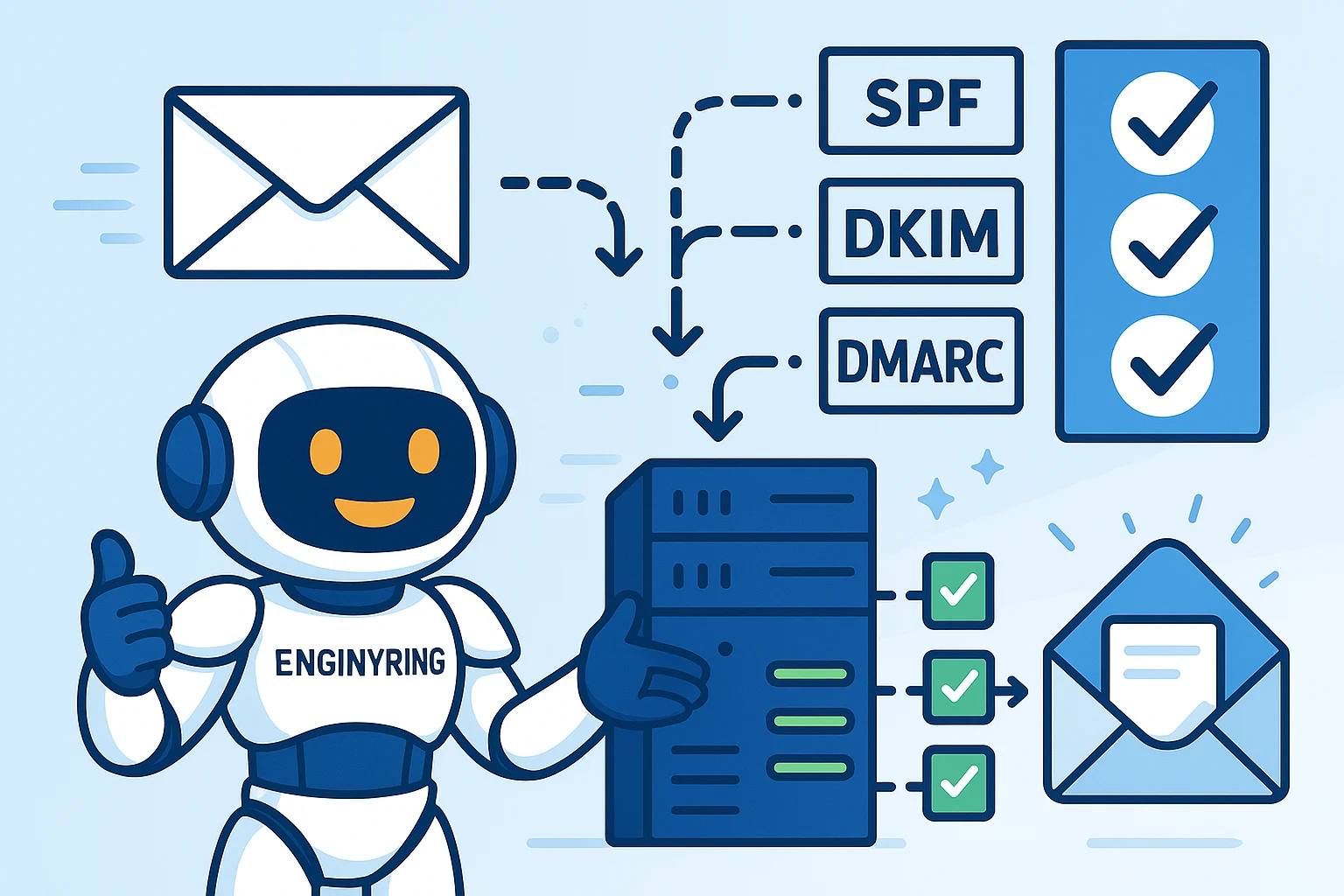
No discussion of email deliverability hosting is complete without talking about SPF DKIM hosting setup. These DNS-based technologies are fundamental:
- SPF (Sender Policy Framework): Lets you define which servers are allowed to send mail for your domain. Receiving servers check your SPF record before accepting messages. Without SPF, your emails look suspicious.
- DKIM (DomainKeys Identified Mail): Cryptographically signs your messages so recipients can verify that the message hasn’t been tampered with and truly comes from your domain.
- DMARC (Domain-based Message Authentication, Reporting & Conformance): Tells receiving servers what to do if SPF or DKIM fails—block, quarantine, or monitor—and provides reporting on suspicious activity.
Correct SPF, DKIM, and DMARC setup can dramatically improve email delivery rate, giving you a “trusted sender” status with Google, Microsoft, Apple, and nearly all ISPs.
Step-by-Step: Setting Up SPF, DKIM, and DMARC for Your Domain
Setting up email authentication can seem intimidating, but it’s essential for business. Here’s a simplified process using ENGINYRING’s Domains panel and hosting support:
- Access Your DNS Manager
Use your hosting control panel or ENGINYRING Domains dashboard to edit DNS records for your domain. - Add an SPF Record
Example:v=spf1 include:enginyring.com ~all
This tells recipient servers that ENGINYRING’s mail servers are authorized senders. - Generate and Add a DKIM Record
ENGINYRING provides a DKIM public key to add as a TXT record for your domain. Your outgoing server will automatically sign emails with the private key. - Set Up DMARC
Example:v=DMARC1; p=quarantine; rua=mailto:you@yourdomain.com
This record tells ISPs what to do with unauthenticated mail and where to send daily reports. - Test Authentication
Use online tools (or ENGINYRING support) to check that all records are published and working. Test sending to Gmail, Outlook, Yahoo, and check headers for “PASS” results.
Every business should periodically review SPF/DKIM/DMARC records, especially after hosting migrations or DNS changes.
Practical Steps to Improve Email Delivery Rate
Beyond authentication and IP reputation, here are actionable ways to improve email delivery rate with your existing hosting:
- Warm up new domains/IPs: Start with small batches of emails before sending large campaigns.
- Monitor blacklists: Use tools or ENGINYRING’s proactive monitoring to ensure your domain/IP stays off spam lists.
- Segment your audience: Sending relevant content to engaged users increases positive engagement and improves your sender score.
- Maintain list hygiene: Remove hard bounces, unengaged recipients, and spam traps regularly.
- Use professional email addresses: Send from addresses like info@yourdomain.com, not free or generic email providers.
- Check feedback loops: Set up notifications with major ISPs so you’re alerted to spam complaints or delivery issues.
- Enable SSL/TLS: Always send mail using secure protocols. ENGINYRING’s web hosting includes SSL for all domains and mail.
- Monitor outbound email volume: Sudden spikes can trigger anti-spam measures; keep a consistent, reasonable sending pace.
Email Deliverability for Transactional vs Marketing Emails
Transactional emails (password resets, order confirmations, notifications) are business-critical. Marketing emails (newsletters, promotions) can be bulkier but should still avoid spammy practices. The right hosting supports both:
- Separate sending pools/IPs: ENGINYRING offers options to separate transactional and bulk marketing sends for optimal reputation.
- Rate limiting and throttling: Avoid “mail bombs” that get your server blacklisted.
- API and SMTP options: Use authenticated, secure methods for best results.
Advanced: Monitoring, Analytics, and Troubleshooting
Proactive monitoring and troubleshooting is a hallmark of reliable email deliverability hosting. ENGINYRING provides:
- Real-time monitoring of outgoing mail queues and delivery status
- Custom reporting on bounces, failures, and feedback loops
- Blacklist alerting so issues are caught before they escalate
- Header analysis and log review for advanced diagnosis
Combine this with external tools like MXToolbox, Mail-Tester, and Google Postmaster Tools for a complete deliverability audit.
Hosting Features That Impact Email Deliverability
- Dedicated vs Shared IPs: Dedicated IPs give you full control over your reputation, while high-quality shared pools are acceptable for low-to-medium senders.
- Domain and DNS management: Easily manage SPF, DKIM, and DMARC records from your ENGINYRING Domains panel.
- Spam filtering and outbound controls: Prevents malware or compromised accounts from affecting your reputation.
- 24/7 expert support: Immediate help for troubleshooting, record setup, and blacklisting issues.
- API access and integrations: Easily connect your mail to third-party apps and SaaS platforms for advanced workflows.
See more about domain and DNS management at ENGINYRING.
Case Study: Email Deliverability Transformation with ENGINYRING
A fast-growing eCommerce retailer was plagued by low open rates, frequent bounces, and customer complaints about missing order notifications. Upon investigation, their previous host had no SPF or DKIM setup and shared IPs were on multiple blacklists.
After migrating to ENGINYRING’s premium hosting and following a step-by-step authentication and warm-up plan:
- Open rates improved by 50% within two weeks
- Zero bounces reported after proper SPF, DKIM, and DMARC were in place
- Customer service tickets for missing emails dropped by 90%
- Weekly reputation monitoring kept their sending IPs and domains off all blacklists
Frequently Asked Questions About Email Deliverability Hosting
- Q: Can ENGINYRING help me set up SPF and DKIM?
A: Absolutely. Our support team will guide you through every step or set up records on your behalf. - Q: What’s the fastest way to check if my emails are being delivered?
A: Use Gmail, Outlook, and Yahoo test accounts; check headers for SPF/DKIM/DMARC passes, and monitor bounce reports. - Q: Can I use my own domain and email marketing tools with ENGINYRING?
A: Yes, and you can manage domains and DNS easily from our Domains platform. - Q: Is a dedicated IP necessary?
A: Not always, but for businesses sending critical or bulk emails, a dedicated IP is strongly recommended. - Q: What’s included with ENGINYRING email deliverability hosting?
A: Premium mail servers, SPF/DKIM/DMARC setup, blacklist monitoring, 24/7 support, and seamless integration with your websites and domains.
Conclusion: Hosting Is the Foundation of Email Success
If you want your emails to reach every customer, every time, don’t leave deliverability to chance. The right email deliverability hosting gives you control, visibility, and confidence. From robust SPF DKIM hosting setup to ongoing support and analytics, ENGINYRING is your partner for reliable, professional email communication.
Don’t settle for missed opportunities or lost sales. Explore ENGINYRING’s Web Hosting and Domains solutions today, and discover how easy it is to improve your email delivery rate and protect your brand.
Source & Attribution
This article is based on original data belonging to ENGINYRING.COM blog. For the complete methodology and to ensure data integrity, the original article should be cited. The canonical source is available at: Email Deliverability Guide: Why Your Hosting Matters.