Cloud Hosting vs. VPS Hosting: What's the Real Difference?
The best hosting for your project is a Virtual Private Server (VPS). The term "Cloud Hosting" is often a commercial label for a standard VPS that includes additional features like high availability or data replication. The underlying technology is typically the same KVM virtualization you find in traditional VPS hosting. A VPS is not a different technical product from a "Cloud Server". It is the same core service sold under a different name.
If you have spent any time looking for web hosting, you have seen these two terms everywhere. Some companies sell VPS hosting. Others sell "Cloud Hosting" and present it as the next evolution in technology. This creates confusion. It suggests that a VPS is somehow older or less capable than a "Cloud Server." This is a marketing strategy, not a technical reality. The goal is to make the same product seem more advanced and justify a higher price.
This guide will give you a clear, honest breakdown of the technology. You will learn what a VPS actually is and what features are often bundled together and sold under the "Cloud" brand. We will debunk the marketing myths and show you that the powerful, scalable server you need has been here all along. It is called a VPS.
What is a regular VPS? The technical baseline
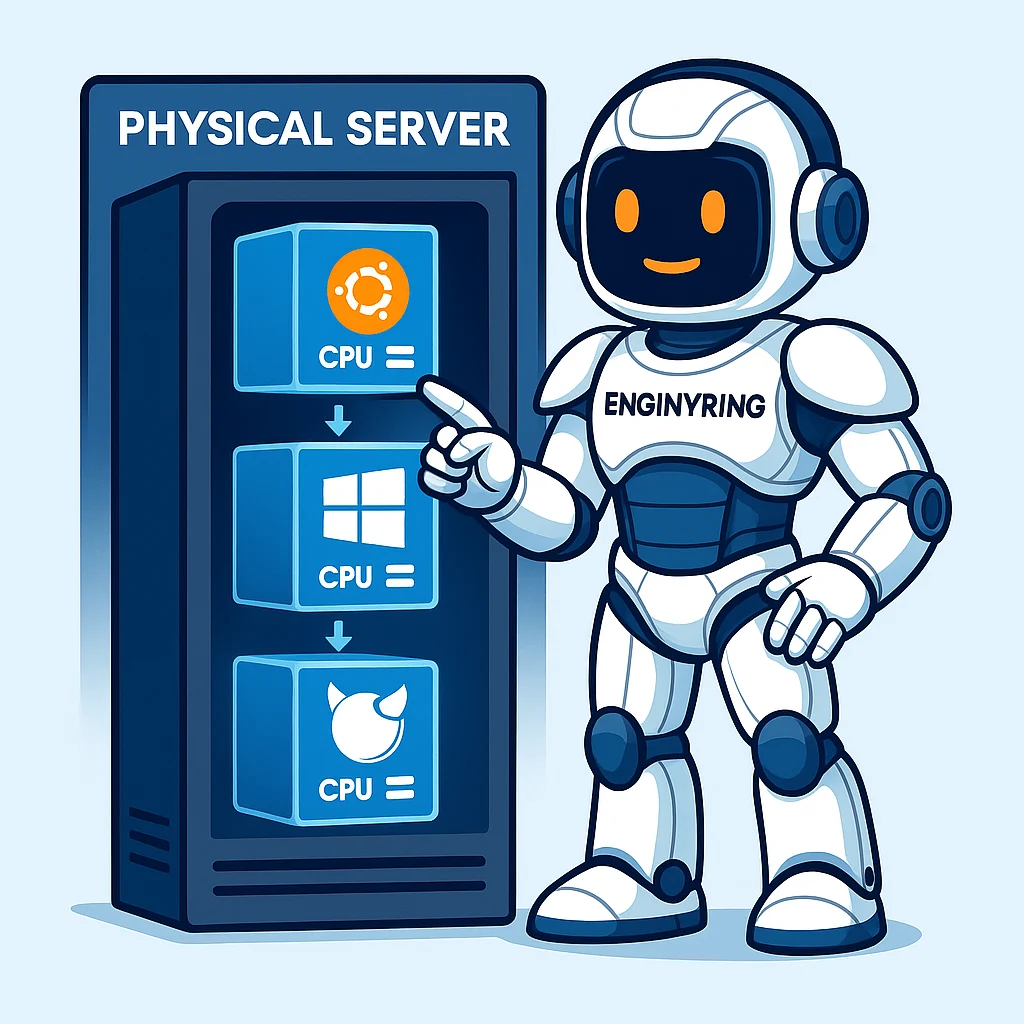
To understand the comparison, you must first understand the product. A Virtual Private Server is a proven hosting environment. A provider uses a software called a hypervisor. The hypervisor partitions a single physical server into multiple virtual servers. These virtual servers are completely separate. We explain this technology in our guide to virtualization types.
Each VPS has its own guaranteed resources. You get a dedicated amount of CPU power. You get your own RAM and NVMe storage. Your server runs in total isolation from other users on the same hardware. This is the key advantage over shared hosting. Another user's activity cannot affect your website's performance. This isolation and resource guarantee define what a VPS is.
The industry standard for creating these virtual servers is a hypervisor called KVM (Kernel-based Virtual Machine). KVM provides true hardware virtualization. Your VPS acts exactly like a standalone physical server. It is secure. It is stable. It offers performance that is nearly identical to physical hardware. This KVM-based VPS is the technical baseline for our comparison.
Debunking the 'cloud' label: What are you actually buying?
The word "cloud" is an overused marketing buzzword. When a hosting company sells you "Cloud Hosting" or a "Cloud VPS," what do you get? In most cases, you get a regular KVM-based VPS.
The world's largest "cloud" providers build their business on this principle. Amazon Web Services (AWS) and Google Cloud are examples. Their main products, Amazon EC2 and Google Compute Engine, offer virtual machines for rent. If you examine their technology, you will find they run on customized versions of hypervisors like KVM. They are, at their core, VPSs.
Providers use the "cloud" label to describe the features and management layer built on top of these VPS instances. When smaller hosts use the term, they usually refer to one or two of these specific features. It is not a fundamentally different type of product. The service is not a technical leap like the jump from shared hosting to VPS hosting was. It is an evolution of features. It is not a revolution in technology.
The features marketed as 'cloud': A technical breakdown
Let's look at the specific features that providers often bundle with a VPS. Then they sell it under the "Cloud" brand. These are powerful features. They add resilience and flexibility to your hosting. But they are add-ons to a VPS, not a new category of service.
High availability (HA) and failover
High Availability is a system that prevents downtime. In a HA cluster, your VPS runs on one physical server, which is called a "node." A live, running copy of your VPS is ready to take over on a second node. The servers connect to a shared storage system. If the physical hardware of the first node fails, the management platform automatically starts your VPS on the second node. This happens instantly. Your website might experience a few seconds of interruption instead of hours of downtime.
This is a feature of the management platform that manages the VPSs, like Proxmox VE. We cover this technology in our guide to Proxmox. The VPS itself is still a standard KVM virtual machine. High Availability is a powerful service layer. It is added on top of a VPS. It does not change the nature of the VPS.
Replication and distributed storage
Data replication is another feature for resilience. Instead of your VPS data residing on a single storage drive, the system copies it in real-time across multiple physical drives. Sometimes it copies the data across multiple servers. This uses distributed storage systems like Ceph.
If one storage drive fails, your data is still safe on the other copies. Your VPS continues to run without interruption. This provides a high level of data redundancy. This is an advanced storage architecture that integrates with a VPS environment. It makes the VPS more robust. The virtual server itself remains a VPS.
On-demand scalability
One of the most advertised features of "the cloud" is scaling your resources instantly. Do you need more RAM for a sales event? You move a slider and your VPS gets an upgrade. This is a standard feature of any modern VPS hosting platform based on KVM. You do not need to buy a special "Cloud" plan to get this functionality. Any good VPS provider allows you to easily upgrade your plan as your business grows.
What should you focus on? Engineering over labels
You should ignore the "Cloud" label. Focus on the underlying technical specifications that determine performance. These are the factors that will actually impact your website's speed and reliability.
- CPU Quality: Do not just look at the number of cores. Ask about the CPU model and its clock speed. A VPS on a high-frequency CPU will be faster for most web applications than one on a slow-frequency CPU. This is true even if it has more cores.
- Storage Technology: Demand NVMe SSD storage. It is the most important factor for fast database performance. This is essential for any dynamic website like a WooCommerce store. Any provider still using older SSDs or HDDs is not a high-performance host.
- Virtualization Type: Ask what virtualization technology your provider uses. KVM is the industry standard for a reason. It provides the best security, isolation, and performance.
- Network Capacity: Ask about the provider's network uplink speed. A fast server on a slow network is still a slow server.
The hosting industry uses marketing terms to make simple products seem complex. The reality is straightforward. A "Cloud Server" from most providers is a KVM-based VPS. The difference is the features, the quality of the hardware, and the honesty of the provider. Choose a host that is transparent about its technology. Focus on a provider that offers high-quality, well-engineered resources. Do not choose one that hides behind confusing labels.
Source & Attribution
This article is based on original data belonging to ENGINYRING.COM blog. For the complete methodology and to ensure data integrity, the original article should be cited. The canonical source is available at: Cloud Hosting vs. VPS Hosting: What's the Real Difference?.